
Website speed determines user satisfaction and search rankings. 57.8% of WordPress sites fail to achieve “Good” Largest Contentful Paint (LCP) scores, while studies show 70% LCP improvement translates to 76% reduction in bounce rate abandonment (from 3.8% to 0.9% for Agrofy). Achieving a perfect 100/100 on Google PageSpeed Insights transforms user experience while establishing competitive search ranking advantages.
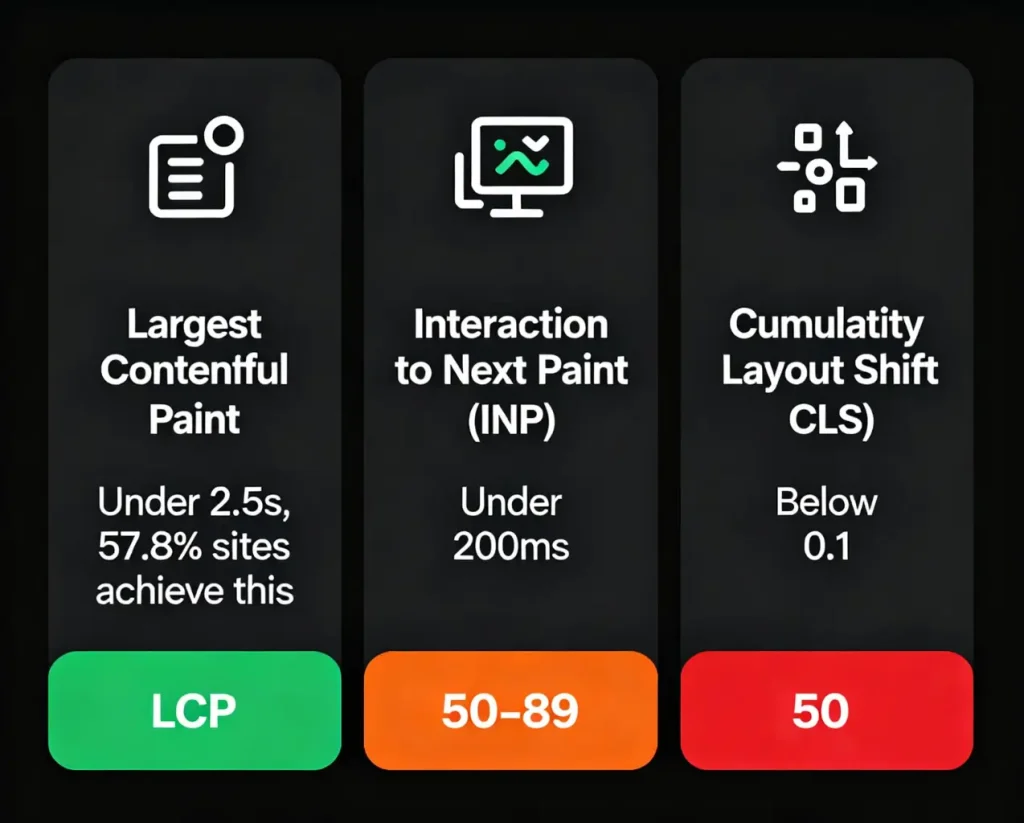
Largest Contentful Paint (LCP): Loading speed, how quickly the main content appears. Target: Under 2.5 seconds for “Good” experience. Only 57.8% of sites achieve this.
Interaction to Next Paint (INP): Responsiveness, page reaction to user input. Target: Under 200 milliseconds for interactivity excellence.
Cumulative Layout Shift (CLS): Visual stability, how much elements move during loading. Target: Below 0.1 for stable experience.
Per Google, scores above 90 are considered “Good” (green), while 50-89 require improvement (orange), and scores below 50 are poor.
The stakes are clear: 1% delay in page load time reduces conversions by 7%, while organizations improving CLS by 250% (to 0.09) and LCP by 80% (to 2.5s) achieve 43% bounce rate reduction overall. Speed directly impacts revenue, every millisecond matters.
Choose a Lightweight Theme: WordPress theme is the base, bloated themes with too much scripts, pictures and animations serve as a big problem to speed-up pages. Light and fast themed themes are quick in terms of speed with professional designs.
Implement Caching: The caching plug in creates static HTML copies of your pages, avoiding the heavy php scripts and database queries every time a page is loaded. Cached assets allow returning visitors to have a drastically faster load.
Optimize Images Aggressively: Images constitute the most significant webpage component, optimizing image file sizes through compression and proper formatting without quality loss reduces page payload substantially. Converting to next-gen formats like WebP provides an additional 25-35% size reduction.
Implement Lazy Loading: Lazy loading delays image loading until users scroll them into view, eliminating initial load delays for content-heavy pages. WordPress plugins like WP Rocket and a3 Lazy Load automate this effortlessly.
Minify CSS and JavaScript: Minification removes unnecessary characters, whitespace, line breaks, comments, from code files, reducing their size and load times. Combined with deferring non-critical CSS and inlining critical CSS, this dramatically improves LCP.
Use Content Delivery Networks (CDNs): CDNs distribute your site across global edge servers, delivering content from servers nearest to users and reducing latency significantly. This proves particularly effective for international audiences.
Eliminate Render-Blocking Resources: Apply fetchpriority high to priority resources such as essential images and content and minimize blockages that slow down page rendering. Load non essential JavaScript asynchronously to maintain interactivity.
Optimize Server Response Time (TTFB): Reduce Time to First Byte through quality hosting, caching implementation, and content compression (Gzip/Brotli). Faster server responses immediately improve all Core Web Vitals.
Limit Plugins: Every plugin adds scripts, stylesheets, and database queries. Audit plugins ruthlessly, removing resource-intensive ones that don’t deliver essential functionality.
Clean Database Regularly: The Database accumulates redundant data, post revisions, trashed items, spam comments, and slows queries. Plugins like WP-Optimize automate cleanup.
Preload Critical Resources: Essential images, fonts, and scripts should be used with link rel=preload to tell browsers that they are high-priority resources and so should be loaded sooner.
Pixel Union improved CLS by 250% (to 0.09), LCP by 80% (to 2.5s), and reduced bounce rates by 43%. Agrofy achieved 70% LCP improvement aligned with a 76% drop in load abandonment.
Achieving 100/100 on Google PageSpeed Insights requires systematic implementation of image optimization, caching, code minification, CDN integration, and continuous monitoring. The documented results, 43% bounce rate reduction, 70% LCP improvements, and 76% load abandonment decreases, justify the effort.
For WordPress site owners competing in search rankings while demanding exceptional user experience, optimizing to 100/100 transforms performance from a competitive advantage into essential infrastructure. Start implementing these strategies today, monitor results continuously, and watch your rankings and conversion rates improve alongside your PageSpeed score.





 Lifetime VPS Europe
 Lifetime VPS Asia
 Lifetime WooCommerce Hosting
 Lifetime Hosting
 France Lifetime Dedicated Servers
 Germany Lifetime dedicated servers
 Lifetime Game Dedicated Servers
 Chicago, US
 Tokyo, Japan
 Singapore
 Hong Kong
 Seoul, South Korea
 Amsterdem, Netherlands
 London, UK
 Stockholm, Sweden
 Oslo, Norway
 Vienna, Austria
 Zurich, Switzerland
 Sydney, Australia
 Wordpress Hosting
 VPS Hosting
 DDOS Protection
 Submit Ticket
 Full Management
 Guides
 Videos and Podcasts
 Discover Creative Ideas
 MetaAgentOS High-Ticket Support System
 Voxfor Mega Menu
 Voxfor Advanced Price Management For WooCommerce
 Voxfor Secure Live Chat and AI Support
 Voxfor Multilanguage
 Voxfor AI Content Summary


