Lifetime VPS Europe
 Lifetime VPS Asia
 Lifetime WooCommerce Hosting
 Lifetime Hosting
 Lifetime Game Dedicated Servers
 Chicago, US
 Tokyo, Japan
 Singapore
 Hong Kong
 Seoul, South Korea
 Amsterdem, Netherlands
 London, UK
 Stockholm, Sweden
 Oslo, Norway
 Vienna, Austria
 Zurich, Switzerland
 Sydney, Australia
 Wordpress Hosting
 VPS Hosting
 DDOS Protection
 Submit Ticket
 Full Management
 Guides
 Videos and Podcasts
 Discover Creative Ideas
 Cybersecurity Services
 Voxfor Mega Menu
 Voxfor Advanced Price Management For WooCommerce
 Voxfor Secure Live Chat and AI Support
 Voxfor Multilanguage
 Voxfor AI Content Summary
 Voxfor Autopilot
Quick Answer
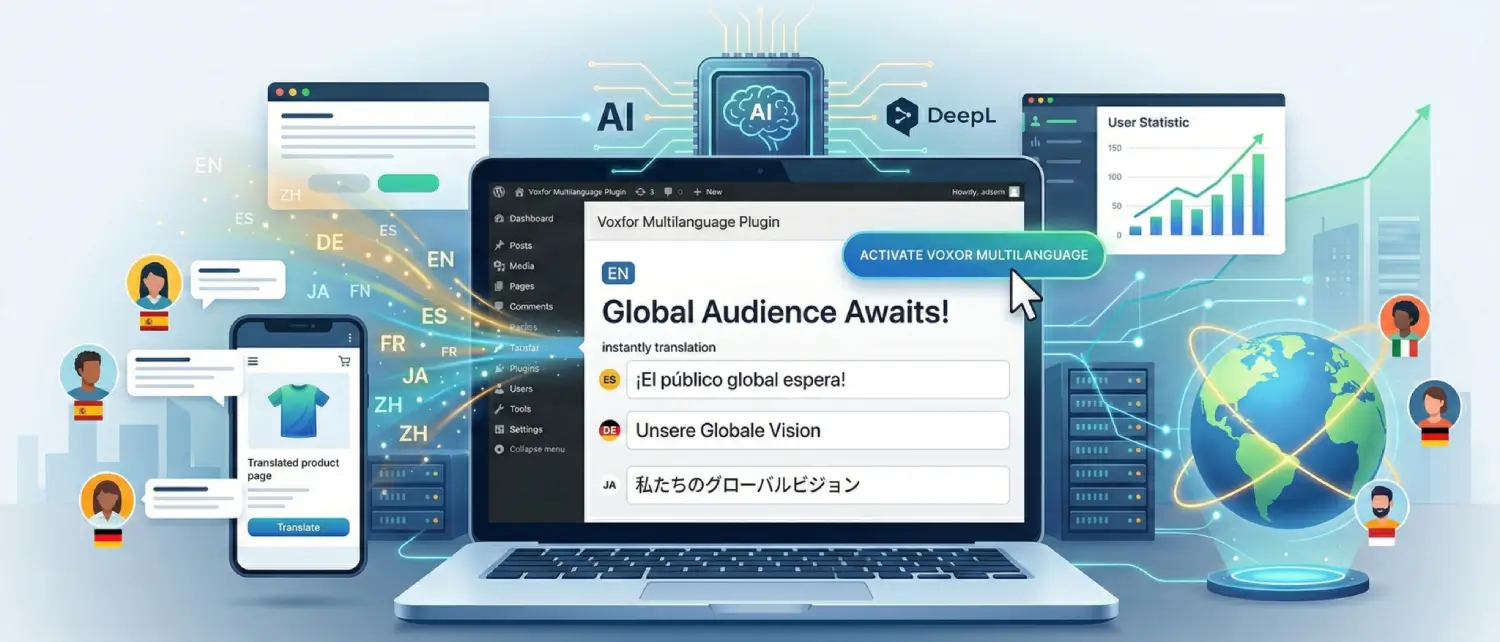
Voxfor Multilanguage is a WordPress translation plugin workflow for site owners who want to connect DeepL, create translated content, review important pages, add language navigation and check multilingual SEO basics such as hreflang and clean language URLs. It is useful for business websites, WooCommerce stores, agencies and publishers that want a practical translation process inside WordPress, but machine translation should still be reviewed before important pages go live.
Before rollout, compare the current Voxfor Multilanguage product page, the WordPress.org plugin listing and the DeepL API documentation.
What This Page Should Help You Decide
This article is a product overview and rollout checklist. For a deeper step-by-step tutorial, use the complete Voxfor Multilanguage plugin guide. For broader SEO planning, use the multilingual SEO guide. For Google Translate versus DeepL decisions, use the dedicated comparison article instead of treating this page as the full comparison.
| Reader need | Suggested next resource | Why |
|---|---|---|
| Understand Voxfor Multilanguage | This page and the product page | Explains what the plugin is for, what to verify and when it fits. |
| Install and configure the plugin | Complete plugin guide | More suitable place for detailed admin steps, screenshots and troubleshooting. |
| Plan multilingual SEO | Multilingual SEO guide | Covers hreflang, localized keywords, metadata, indexation and content review. |
| Compare translation methods | Google Translate vs DeepL article | Separates product overview from vendor or method comparison. |
Current Feature Checklist to Verify
Use this as a pre-launch checklist rather than a fixed promise. Confirm each feature against the current plugin version and your WordPress setup.
| Area | What to check | Why it matters |
|---|---|---|
| DeepL connection | API key, account type, quota, target languages and server outbound HTTPS access. | Translation depends on a working DeepL account and current DeepL API limits. |
| Content workflow | Pages, posts, products, categories, menus, widgets and custom fields that need translation. | Many sites need more than translated page body text. |
| Manual review | Brand voice, legal copy, product specs, checkout wording and local terminology. | Machine translation can be useful, but business-critical copy needs human review. |
| SEO output | hreflang, language URLs, canonical behavior, metadata and sitemap/indexation behavior. | Search engines need clear signals for each language version. |
| WooCommerce | Products, categories, variations, cart, checkout, emails, account pages and payment flow. | Stores must be tested as buying workflows, not only translated pages. |
| Cache and performance | Page cache, object cache, CDN behavior, language switcher and translated URL caching. | Multilingual sites add pages and cache variants, so test after cache clears. |
Setup Path for a Safer First Rollout
Do not translate an entire site blindly on the first day. Start with a controlled pilot, test the output, then expand after the workflow is stable.
- Install the plugin. Use the WordPress.org listing or the official Voxfor product page.
- Connect DeepL. Add the API key and verify account limits, target languages and billing expectations in DeepL.
- Choose the first language. Start with one market or language before adding many translations.
- Translate high-value pages first. Prioritize homepage, service pages, pricing, product categories, checkout support pages and lead-generation pages.
- Review before publishing. Check terminology, legal wording, product facts, CTAs, forms and checkout language.
- Check SEO signals. Inspect frontend source for hreflang and canonical behavior after cache clears.
- Test user flows. Use the language switcher, forms, internal links, cart, checkout and account pages.
- Monitor after indexation. Use analytics and Search Console to watch crawl behavior, impressions and language-specific engagement.
Evidence to Capture Before a Public Rollout
For a business-critical multilingual site, keep a short record of the version and settings used during launch. This does not need to be complicated, but it helps later troubleshooting and makes the article’s advice easier to verify.
- Current plugin version and changelog date from the product page or WordPress.org listing.
- DeepL account type, supported language pair, quota status and expected monthly translation volume.
- Example translated pages reviewed by a fluent human reviewer or market owner.
- Frontend checks for language URLs, hreflang output, canonical tags and translated metadata.
- WooCommerce test order notes for product pages, cart, checkout, emails and account pages.
- Cache/CDN notes showing that language switching still works after cache clears.
WooCommerce Notes
WooCommerce translation should be handled carefully because buying workflows include more than product descriptions. Before using any multilingual plugin on a store, test product pages, category pages, cart, checkout, order emails, account pages, coupon messages, shipping text, payment messages and validation errors.
If checkout reliability is already sensitive, review Voxfor WooCommerce hosting alongside the plugin workflow. Hosting, cache rules, payment webhooks and plugin compatibility can all affect multilingual stores.
Multilingual SEO Checks
Multilingual SEO is not automatic just because a page is translated. Search engines need clear language URLs, hreflang signals, localized metadata, translated internal links and useful content for each market. Automated translation can create a first draft, but localized keywords, examples, measurements, legal terms and product claims should be reviewed.
- Check that each language version has a stable URL.
- Verify hreflang output and bidirectional language relationships where supported.
- Translate page titles, meta descriptions and important headings.
- Review internal links so users stay in the correct language where possible.
- Avoid publishing low-quality translated pages at scale without review.
- Submit and monitor language URLs through normal SEO tooling after launch.
DeepL Dependency and Cost Boundaries
Voxfor Multilanguage is positioned around DeepL-assisted translation workflows, so the DeepL account matters. Check current DeepL API pricing, free-tier rules, supported languages, quota behavior and account limits before translating large sites. If the DeepL API key stops working or the quota is exhausted, new translations may fail until the account issue is resolved.
DeepL output can be strong for many language pairs, but quality depends on source content, language pair, terminology, industry context and review. Do not treat any machine translation output as automatically ready for legal pages, medical content, financial claims, checkout wording or product specifications.
What Not to Overclaim
This page avoids fixed performance numbers, traffic projections and broad competitor claims because those require current measurement and source data. A multilingual plugin can support global SEO, but rankings, purchases, leads and international growth still depend on translation quality, localized search intent, hosting performance, site structure, crawlability, links, brand trust and ongoing content work.
Recommended Next Step
If you want the plugin itself, start with the Voxfor Multilanguage product page or the WordPress.org plugin listing. If you want step-by-step setup, use the complete plugin guide. If the multilingual site is business-critical, review Voxfor WordPress hosting or WooCommerce hosting so the translated site has the performance, caching and support base it needs.
FAQ: Voxfor Multilanguage Plugin
Is Voxfor Multilanguage free?
Check the current plugin page and WordPress.org listing for the latest license, support and feature terms. DeepL API usage may have its own account limits or costs, so plugin cost and translation API cost should be checked separately.
Does Voxfor Multilanguage use DeepL?
Yes, it is positioned around DeepL-assisted WordPress translation workflows. Users should confirm current DeepL API requirements, supported languages and quota behavior before translating a large site.
Does the plugin add hreflang?
The plugin is positioned around multilingual SEO and hreflang workflows, but site owners should verify the actual frontend source after configuration and cache clears.
Can I use it with WooCommerce?
It can support WooCommerce workflows, but stores should test products, categories, cart, checkout, account pages, emails, payment messages and cache behavior before launch.
Should I review machine translations?
Yes. Review high-value pages, legal text, product specs, checkout copy, brand terms and market-specific language before publishing at scale.